Blab Tech
How to Get the Most Out of Samsung Galaxy Z Fold 8: Battery, Personalization, and Multitasking Tips
Samsung unveiled the Galaxy Z Fold 8 on July 22 2026 at its Galaxy Unpacked event in London. The device entered retail on August 7 2026 and is the first foldable in the series to use a wide, passport‑style cover screen. It ships with Android 17 pre‑installed and One UI 9, a 4,800 mAh silicon‑carbon battery, a 45 W fast‑charge port, a 3,000‑nit folding display, and an IP48 rating for dust and splash protection.
The new foldable’s battery management is a key focus for users who want long‑term reliability. The device includes a battery protection feature that can be set to limit charging to 85 %. According to the manufacturer’s guidance, this helps prevent overcharging and reduces wear on the silicon‑carbon cell. Users are also advised to keep the battery level between 20 % and 80 % to avoid deep discharges, which can shorten the battery’s lifespan.
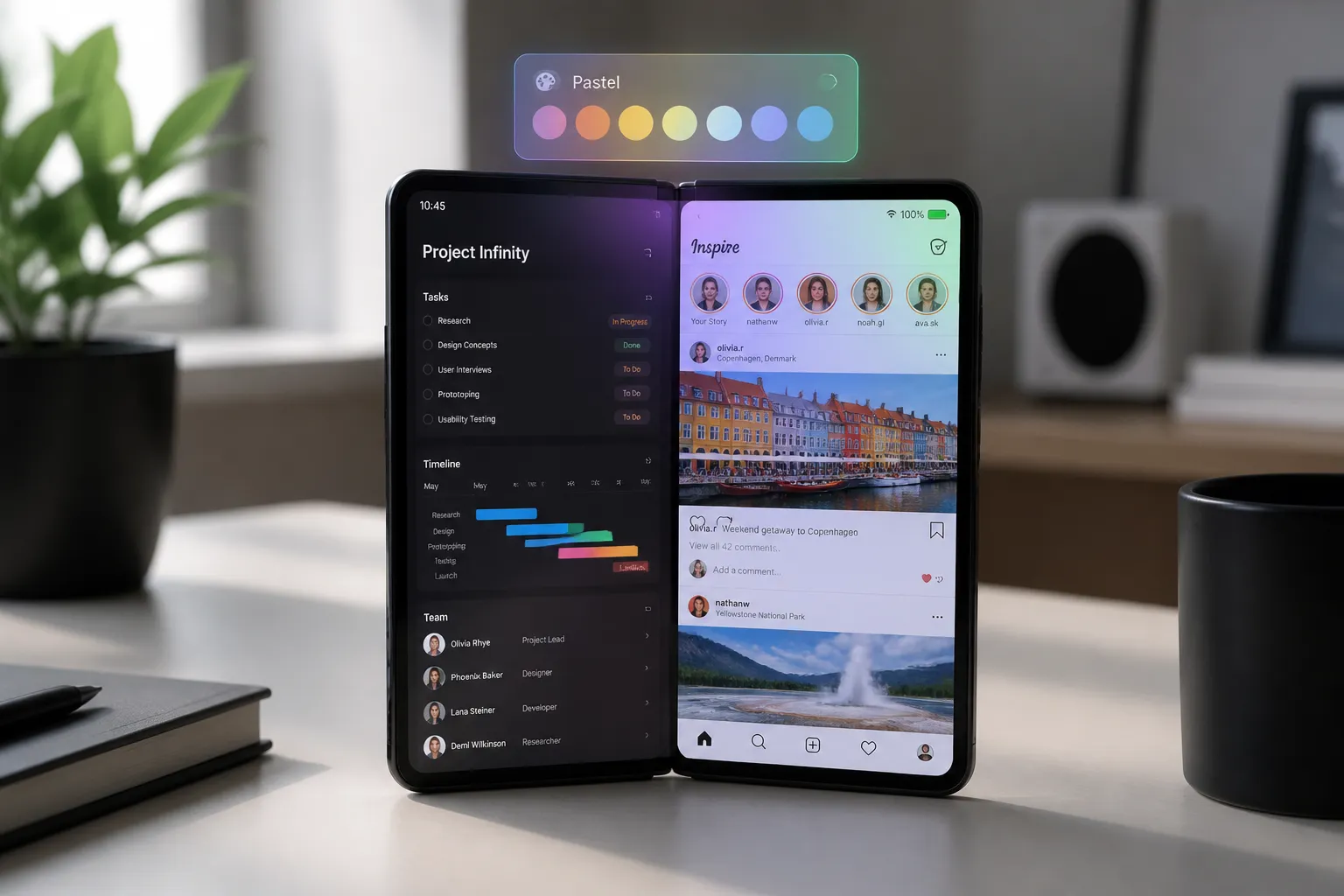
Personalization options on the Z Fold 8 allow owners to tailor the phone to their workflow. The side button can be configured to launch a flashlight, camera, or calculator with a single press, speeding up access to frequently used functions. Users can set distinct wallpapers for the inner and outer displays, with up to four designs available. Navigation can be switched between button‑based or swipe gestures, and the taskbar can be customized to include the most‑used apps for quick multitasking.
Multitasking is a core selling point of the foldable. One UI 9 introduces a three‑way split‑screen layout that can be used in a 90:10 ratio, allowing one app to occupy 90 % of the screen while two others share the remaining 10 %. The feature works on both the inner and outer displays, and cover‑screen mirroring lets users maintain separate layouts when the phone is closed. These tools enable users to compare documents, watch a video while browsing, or run several apps simultaneously.
Built‑in utilities further enhance daily use. The Edge Panel can be activated to provide quick access to a compass, flashlight, ruler, and tally counter. Dolby Atmos support and an adjustable equalizer let users fine‑tune audio for headphones or speakers. The display brightness can be increased for better visibility in bright outdoor conditions.
Performance and security are maintained through the Device Care widget, which can be added to the home screen for one‑tap optimization of RAM, storage, and overall system performance. The phone also includes built‑in malware protection that performs daily scans. The 45 W charger is recommended to keep the battery topped up efficiently.
Durability is addressed through an IP48 rating, which protects against splashes and light dust exposure. The phone’s frame uses a titanium alloy with a reinforced titanium plate, and the glass is Gorilla Glass Victus Ceramic 3. The device is not fully waterproof, so users are advised not to submerge it or expose it to extreme conditions.
Additional features such as keyboard layout customization (standard, split, or floating), a Finder search bar on the home screen, and advanced settings for further personalization are also available.
In summary, the Galaxy Z Fold 8 offers a range of practical settings that can extend battery life, personalize the user experience, and improve multitasking efficiency. By following the manufacturer’s recommended practices—using battery protection, customizing the side button and taskbar, leveraging split‑screen modes, and maintaining the device’s care and security features—owners can maximize the foldable’s performance and longevity.
The new foldable’s battery management is a key focus for users who want long‑term reliability. The device includes a battery protection feature that can be set to limit charging to 85 %. According to the manufacturer’s guidance, this helps prevent overcharging and reduces wear on the silicon‑carbon cell. Users are also advised to keep the battery level between 20 % and 80 % to avoid deep discharges, which can shorten the battery’s lifespan.
Personalization options on the Z Fold 8 allow owners to tailor the phone to their workflow. The side button can be configured to launch a flashlight, camera, or calculator with a single press, speeding up access to frequently used functions. Users can set distinct wallpapers for the inner and outer displays, with up to four designs available. Navigation can be switched between button‑based or swipe gestures, and the taskbar can be customized to include the most‑used apps for quick multitasking.
Multitasking is a core selling point of the foldable. One UI 9 introduces a three‑way split‑screen layout that can be used in a 90:10 ratio, allowing one app to occupy 90 % of the screen while two others share the remaining 10 %. The feature works on both the inner and outer displays, and cover‑screen mirroring lets users maintain separate layouts when the phone is closed. These tools enable users to compare documents, watch a video while browsing, or run several apps simultaneously.
Built‑in utilities further enhance daily use. The Edge Panel can be activated to provide quick access to a compass, flashlight, ruler, and tally counter. Dolby Atmos support and an adjustable equalizer let users fine‑tune audio for headphones or speakers. The display brightness can be increased for better visibility in bright outdoor conditions.
Performance and security are maintained through the Device Care widget, which can be added to the home screen for one‑tap optimization of RAM, storage, and overall system performance. The phone also includes built‑in malware protection that performs daily scans. The 45 W charger is recommended to keep the battery topped up efficiently.
Durability is addressed through an IP48 rating, which protects against splashes and light dust exposure. The phone’s frame uses a titanium alloy with a reinforced titanium plate, and the glass is Gorilla Glass Victus Ceramic 3. The device is not fully waterproof, so users are advised not to submerge it or expose it to extreme conditions.
Additional features such as keyboard layout customization (standard, split, or floating), a Finder search bar on the home screen, and advanced settings for further personalization are also available.
In summary, the Galaxy Z Fold 8 offers a range of practical settings that can extend battery life, personalize the user experience, and improve multitasking efficiency. By following the manufacturer’s recommended practices—using battery protection, customizing the side button and taskbar, leveraging split‑screen modes, and maintaining the device’s care and security features—owners can maximize the foldable’s performance and longevity.